
Full-service restaurants
Support the journey from seating to final payment.
FULL SERVICE · FAST CASUAL · BARS
Connect the moments that make a great shift—from taking the first order to closing the last check. Explore SpotOn restaurant technology with local Metroplex POS guidance.
 Configured for your business.
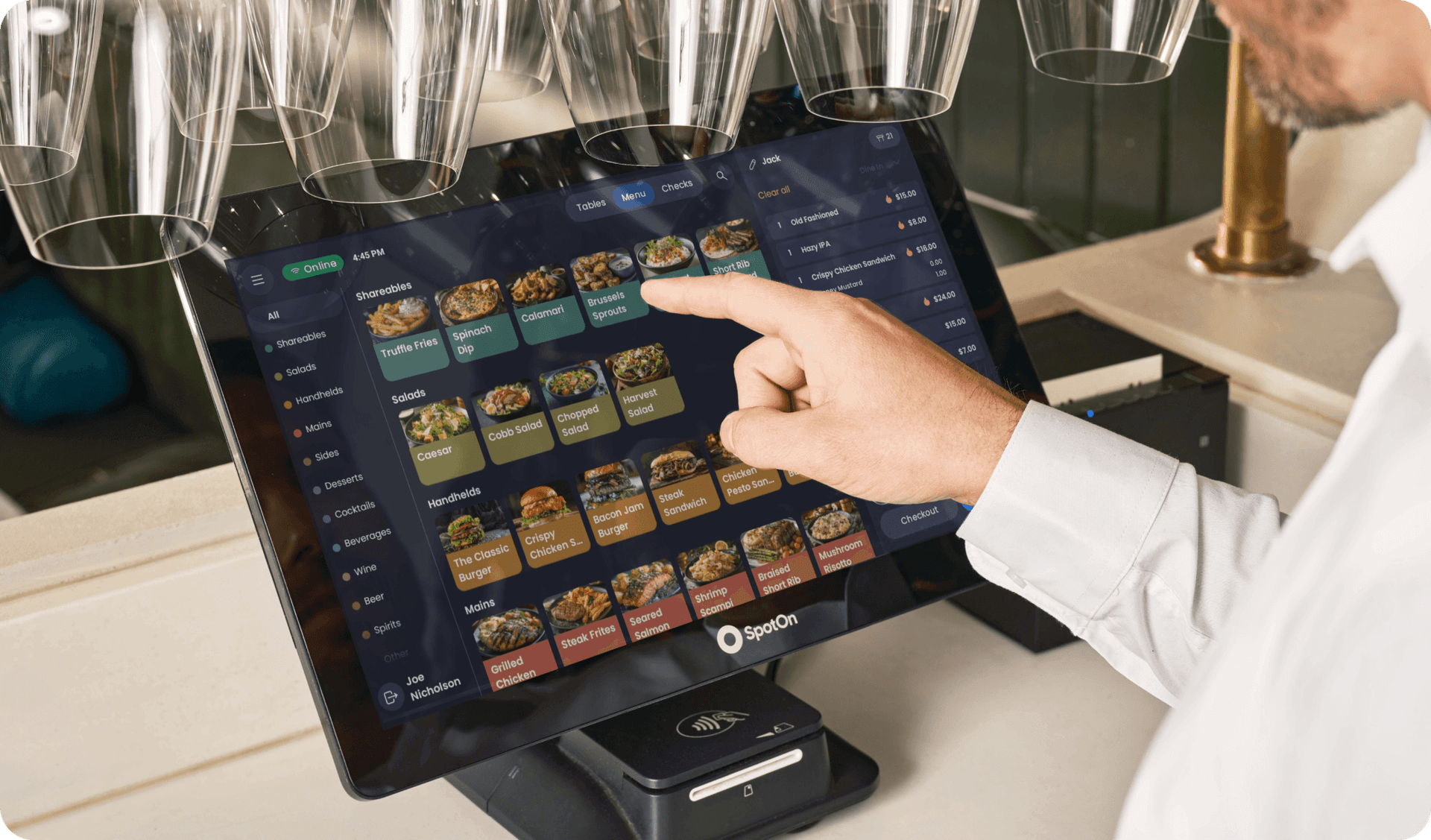
Your POS should support how you serve. We help you plan the stations, handhelds and connected tools your staff needs, then prepare the team for launch.
Support the journey from seating to final payment.
Coordinate counter orders and kitchen production.
Explore a setup for your service and management needs.
Choose a combination that fits your space and service style.
A central hub for restaurant orders, payments and daily management.
Ask about Restaurant POS →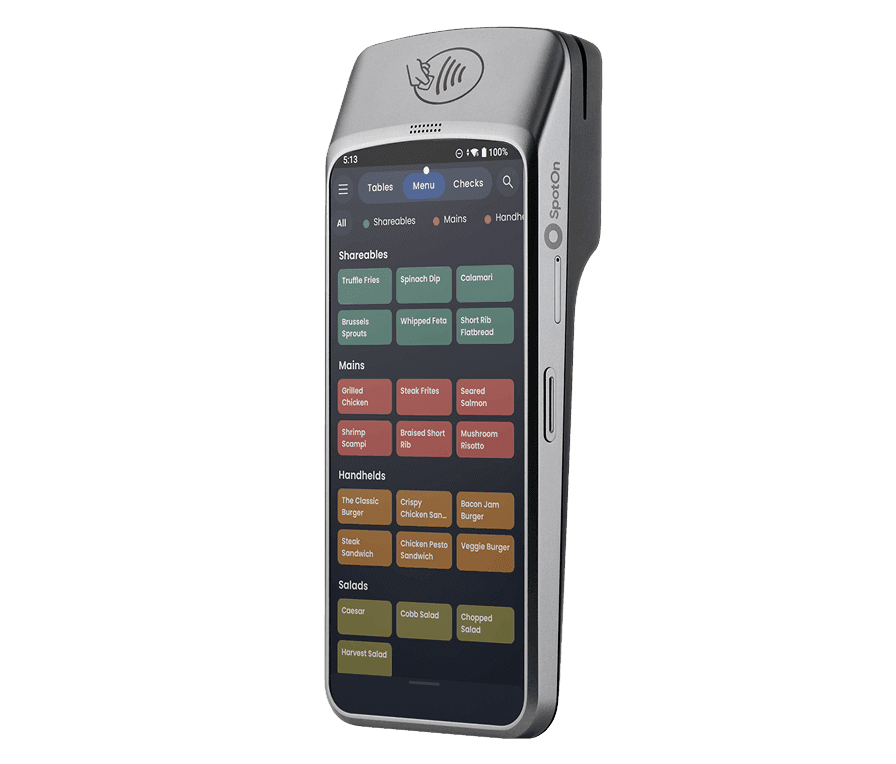
Take orders and payments tableside with a mobile restaurant interface.
Ask about SpotOn Handheld →Send orders and accept payments while staying close to guests.
Use a kitchen display system to keep incoming orders organized.
Connect your digital menu and direct orders to your restaurant POS.
Explore scheduling and tip management for your team.
Review loyalty, marketing and reservation tools for your concept.
Bring questions about sales, labor and profitability into your demo.
Available features depend on your software plan, hardware and integrations. We’ll review options and costs in your proposal.
Use a SpotOn Handheld to take an order, send it to the kitchen and collect payment without returning to a fixed station. In your demo, test a modified entrée, a changed order and a split check using the devices you plan to install.
A kitchen display can bring dining-room and online tickets into the production workflow. Review screen placement, routing and order status with the people who work each station before deciding on your kitchen setup.
SpotOn’s dashboard brings reporting and management tools together. Explore sales views, staff permissions and multi-location access. Optional Teamwork tools cover scheduling and tip management; confirm the products and fees included in your quote.
Both platforms offer restaurant ordering, mobile service, kitchen tools and management features. The useful comparison is how each proposed setup handles your menu, staff and service—not a checklist of features in isolation.
| What to compare | SpotOn | OrderCounter | Ask in your demo |
|---|---|---|---|
| System approach | Restaurant POS with connected management tools and an automatic offline mode. | Hybrid platform using an on-site server with remote access. | Demonstrate a connection interruption and explain payment and device limits. |
| Tableside service | SpotOn Handheld for taking orders and accepting payments at the table. | OrderTab handhelds and tablet options for orders and payments. | Run modifiers, a corrected order and checkout on the proposed handheld. |
| Online ordering | SpotOn Order connects direct online orders to the POS. | Integrated online orders flow into the OrderCounter POS. | Show menu updates, ticket routing and order pickup; list added fees. |
| Kitchen workflow | SpotOn kitchen display tools connect order entry with kitchen production. | OrderCounter KDS organizes dining, takeout and delivery orders. | Use your actual stations and preparation sequence in the demo. |
| Staff tools | SpotOn Teamwork offers scheduling and tip-management tools. | ScheduleGofer supports scheduling and labor reporting. | Confirm payroll integrations, staff access and which subscriptions are required. |
| Reporting & locations | Dashboard access, sales reporting and multi-location management options. | Remote Backoffice, mobile visibility and multi-unit management tools. | Compare the reports you use today, permissions and location-level totals. |
| Equipment & payments | Uses SpotOn restaurant hardware and integrated SpotOn payments. | Scope supported terminals, mobile devices and payment integration in the proposal. | Confirm device ownership, compatibility, processing terms and replacement costs. |
| Local implementation | Metroplex POS helps with setup, staff training and 24/7 local support. | Metroplex POS helps with setup, staff training and 24/7 local support. | Agree on menu approval, training dates, go-live support and the complete cost. |
Feature availability, offline behavior, integrations and costs depend on the configuration and plan. Confirm the current proposal before choosing a system.
Product references: SpotOn restaurant POS · SpotOn plans and equipment terms · OrderCounter features. Reviewed November 2, 2026.
You want to evaluate POS, handheld service, direct online orders and guest or staff tools as a connected setup. Ask to see the complete workflow and which optional products are needed.
You want to examine a hybrid local-server configuration, remote back-office access and detailed restaurant workflow setup. Bring your menu, kitchen routing and management requirements.
Review equipment, processing, software, optional products, implementation and training together. Metroplex POS will help you assess both systems around the same requirements.
Get SpotOn with a partner who understands North Texas businesses. Our work continues through installation, staff training, go-live and ongoing support.
Talk to our local teamWalk us through your service, priorities and current frustrations.
Review equipment and workflows in a focused demonstration.
Plan installation and training around your team and schedule.
Yes. SpotOn Handheld supports tableside ordering and payments. We can discuss how it fits your floor.
SpotOn offers connected online ordering and kitchen display tools. We’ll review the products and setup needed for your operation.
We’ll review hardware, software, processing, optional tools, installation and training so you can assess the complete proposal.
Explore a SpotOn setup with the local team at Metroplex POS. Start with the points where orders enter your business: tables, the bar, the counter and online.
Your demonstration can follow an order from entry to kitchen fulfillment and final payment. Discuss how many handhelds your floor needs, which kitchen screens fit the workflow and which online ordering or staff tools belong in your proposal.
We help restaurants throughout Dallas, Fort Worth, Plano, Frisco, McKinney, Arlington and nearby North Texas communities with system planning, installation, staff training and 24/7 local support.
Tell us about your business. We’ll help you work through the options.